01RTU
Switches the lighting
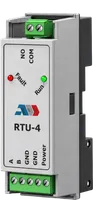
The control module turns the lighting on and off by sunrise and sunset. It has its own clock with a backup battery, so the schedule holds even when the connection drops.
Open the module
GridBit SLMS puts a street lighting cabinet on the network. You see voltage, current and power per phase, switch the lighting from a map and get an alarm when a branch fails.
The problem
A cabinet switches a few streets on and off, and nobody knows what happens inside it until someone reports a dark street. Cities need to see and control the network to deal with:
How it works
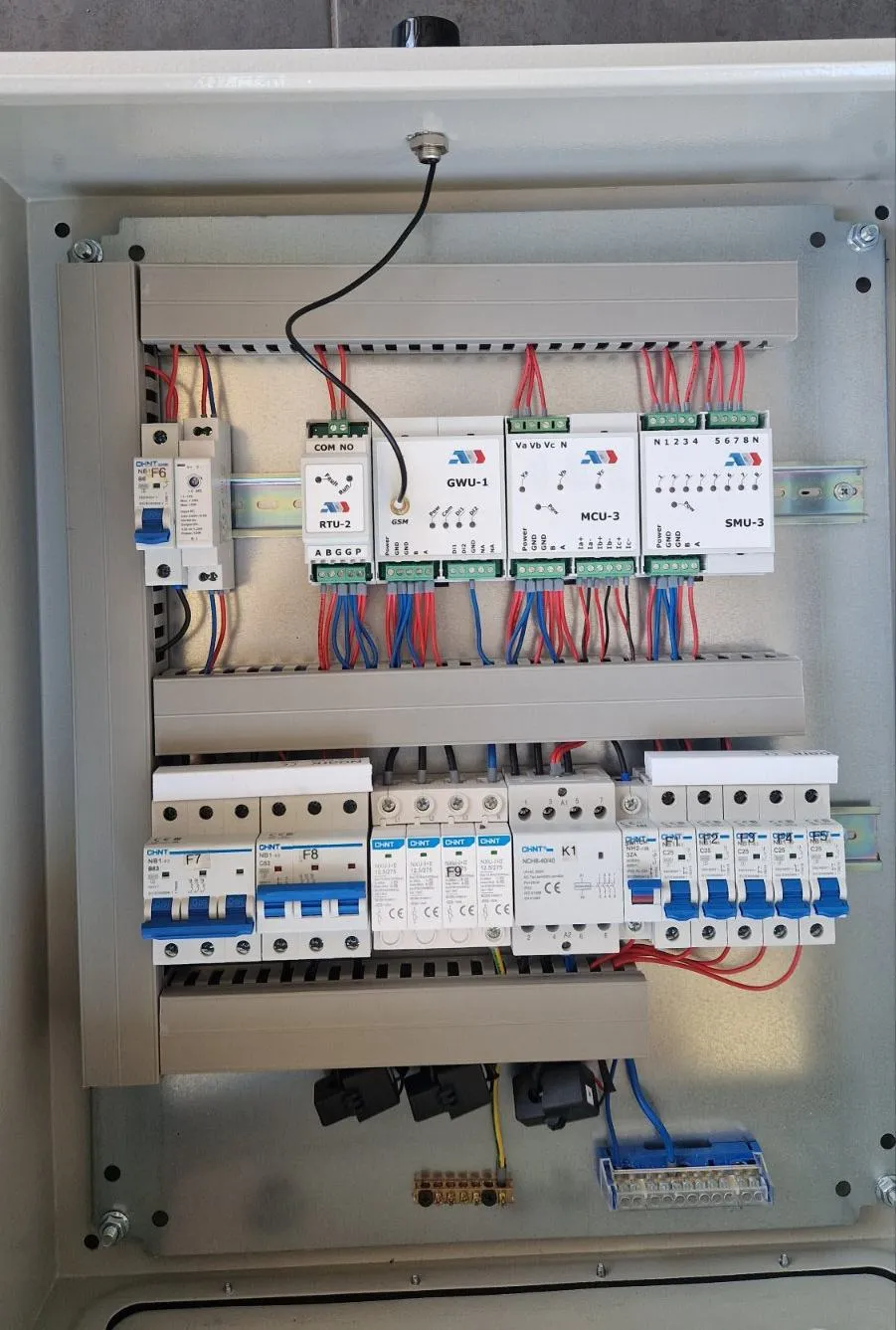
The system works at cabinet level. Compact modules go on the DIN rail of the existing cabinet and talk to each other over Modbus.
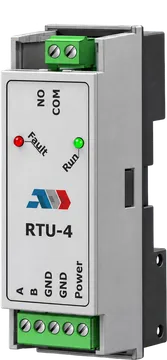
01RTU
The control module turns the lighting on and off by sunrise and sunset. It has its own clock with a backup battery, so the schedule holds even when the connection drops.
Open the module02MCU
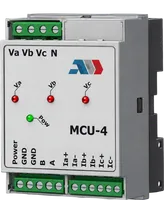
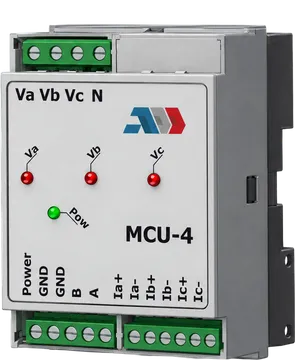
The network analyser reads voltage, current, power, cos φ and energy per phase. The current shows failed luminaires and loads that should not be on the line.
Open the module03SMU
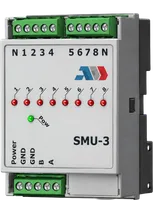
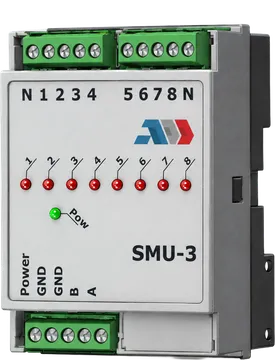
The voltage detector checks up to eight outgoing branches. A tripped breaker or a blown fuse shows up as a branch without voltage, by number.
Open the module04GWU
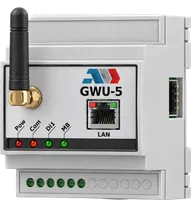
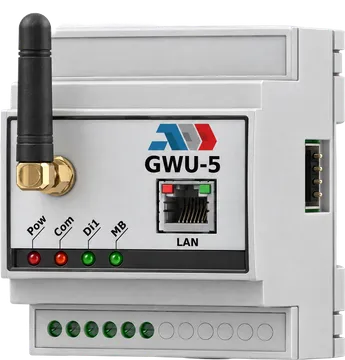
The gateway reads the modules over Modbus RTU and sends the data over the mobile network. One gateway reads up to 127 devices.
Open the module05WDT
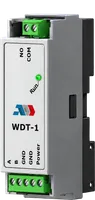
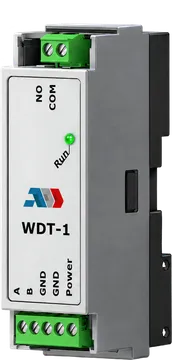
If the electronics stop answering after a surge or a bad supply, the watchdog module restarts them. Nobody drives to the cabinet for a reset.
Open the module06Platform
Map, live diagram, alarms, history and reports. No servers to buy: you open the platform on a phone, tablet or laptop.
The platform
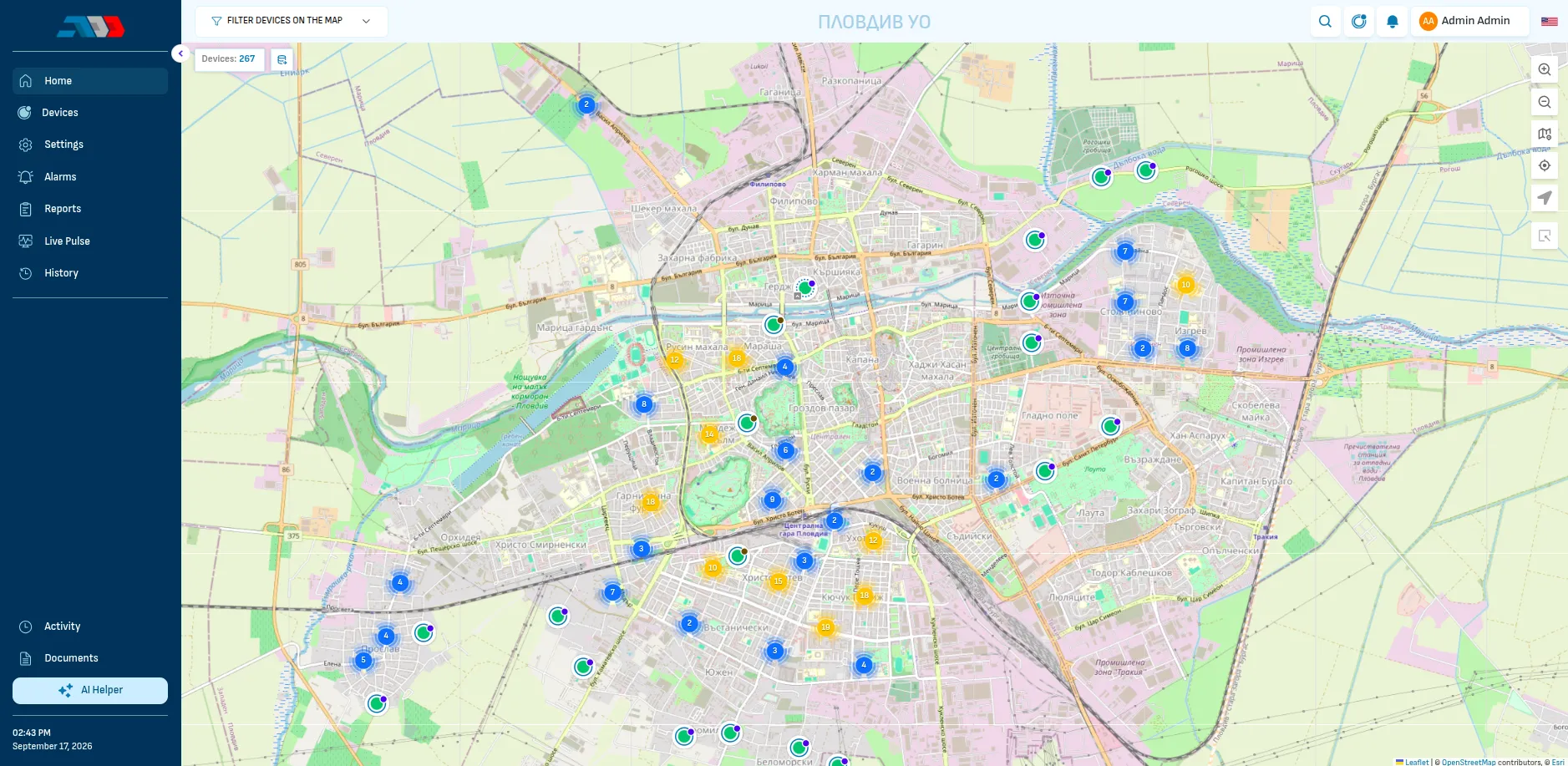
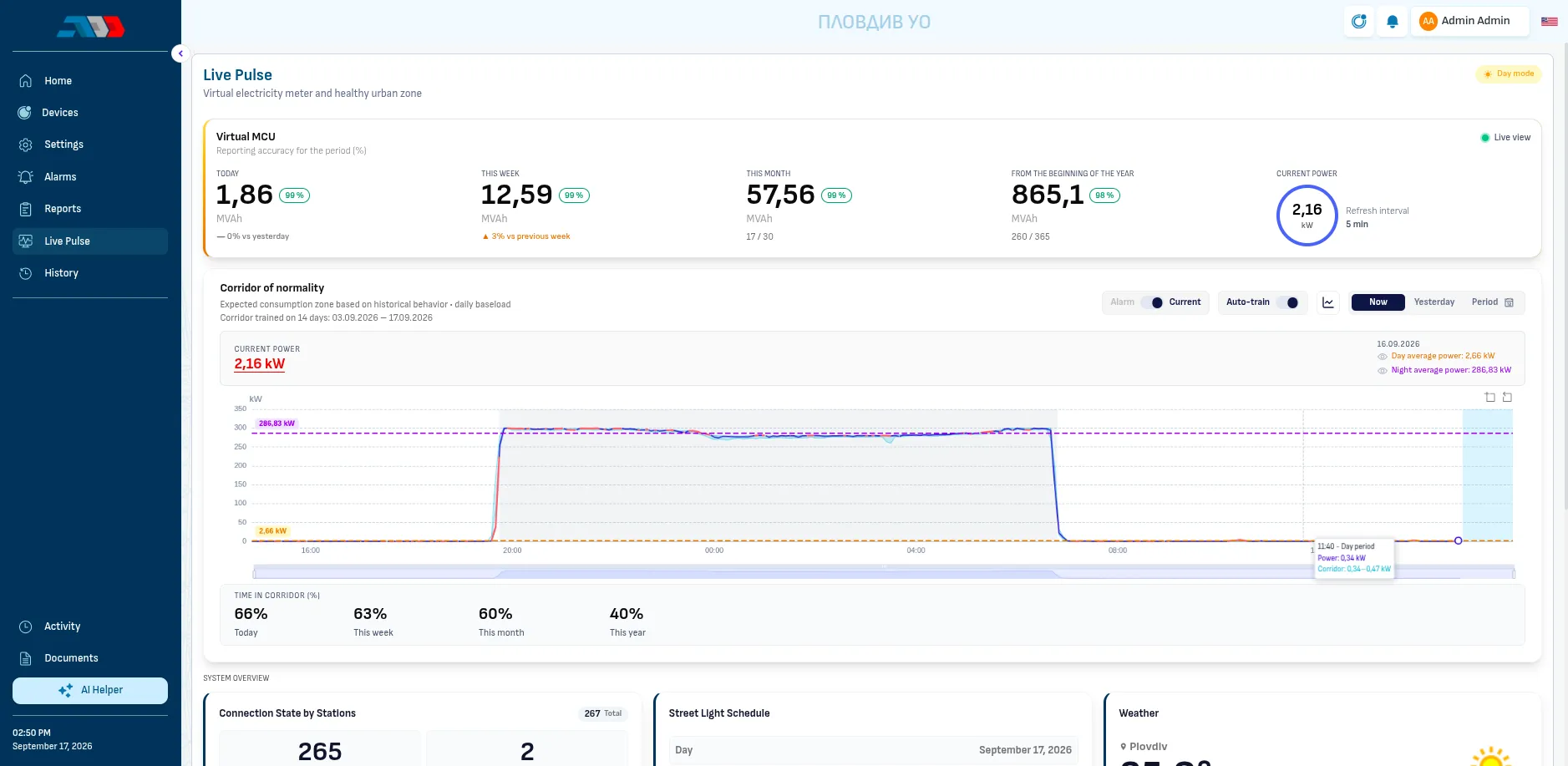
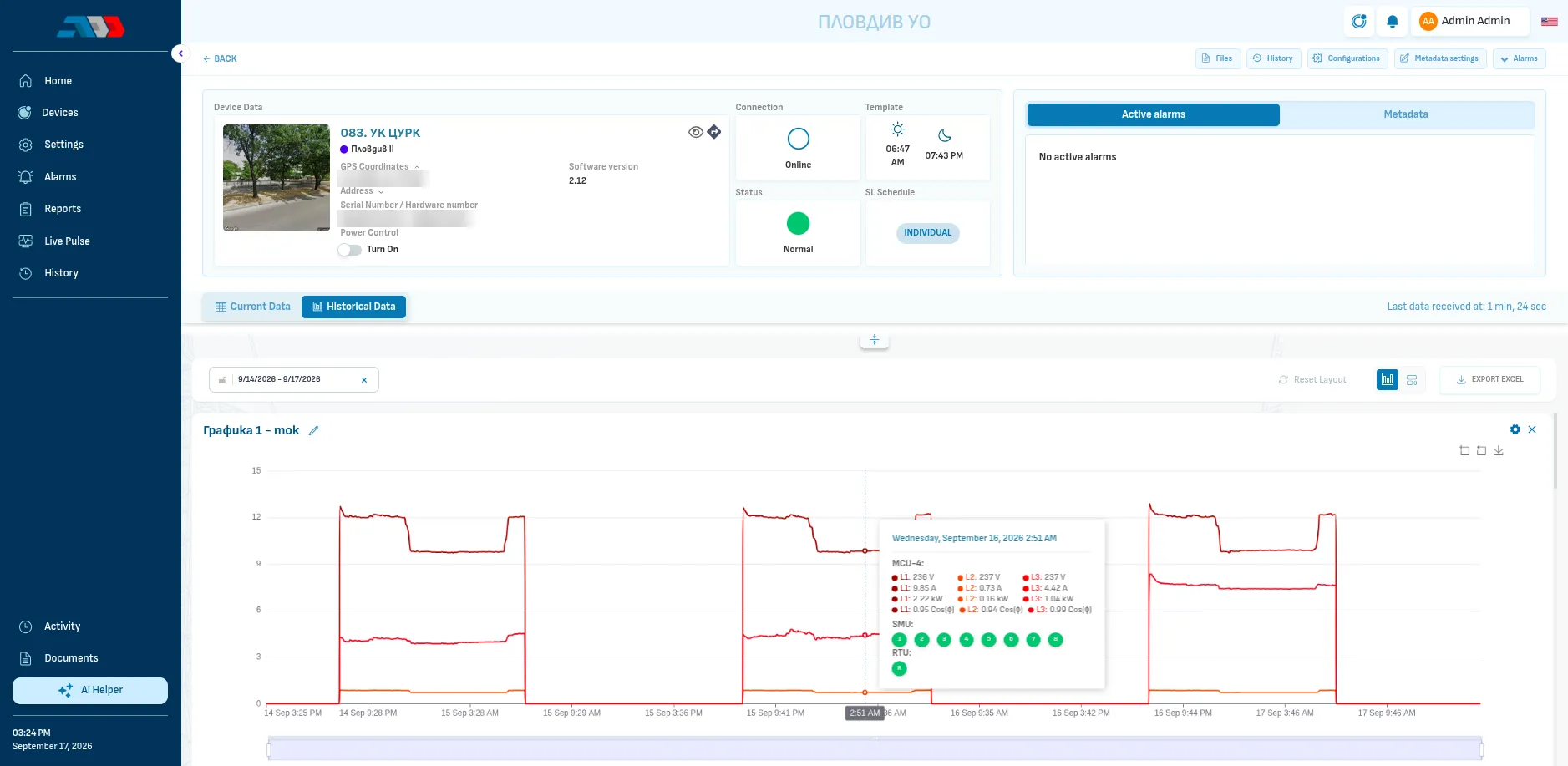
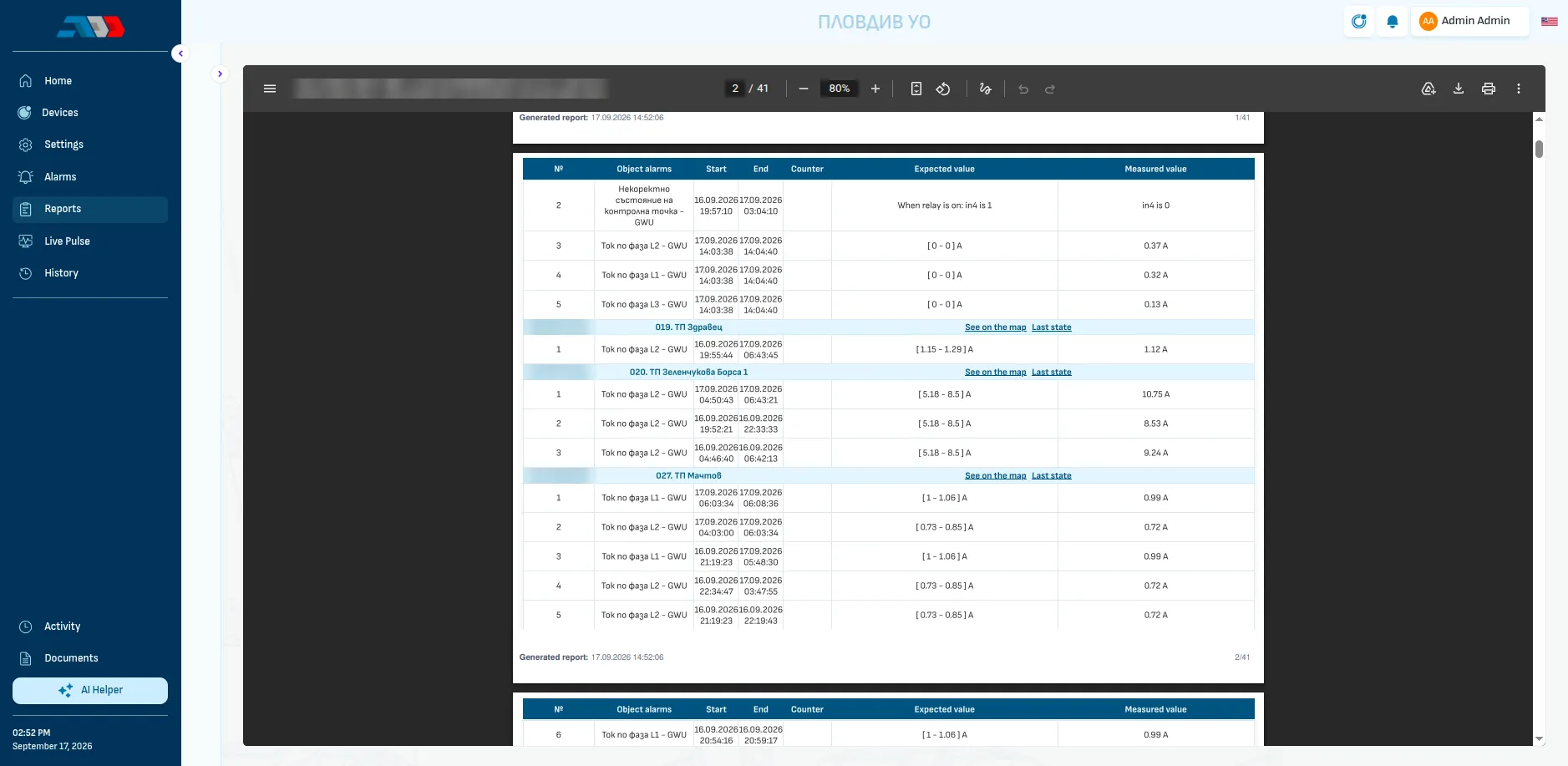
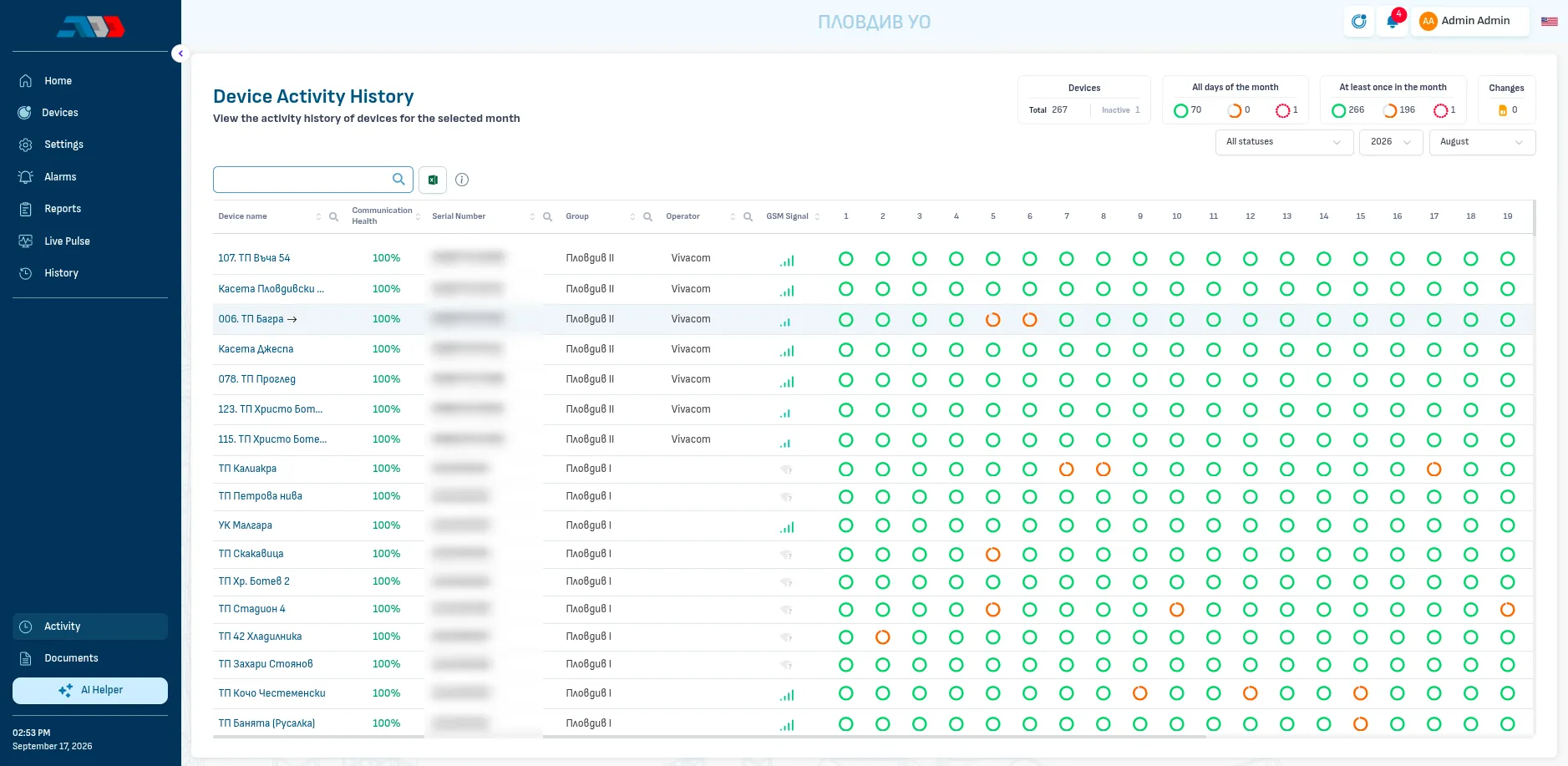
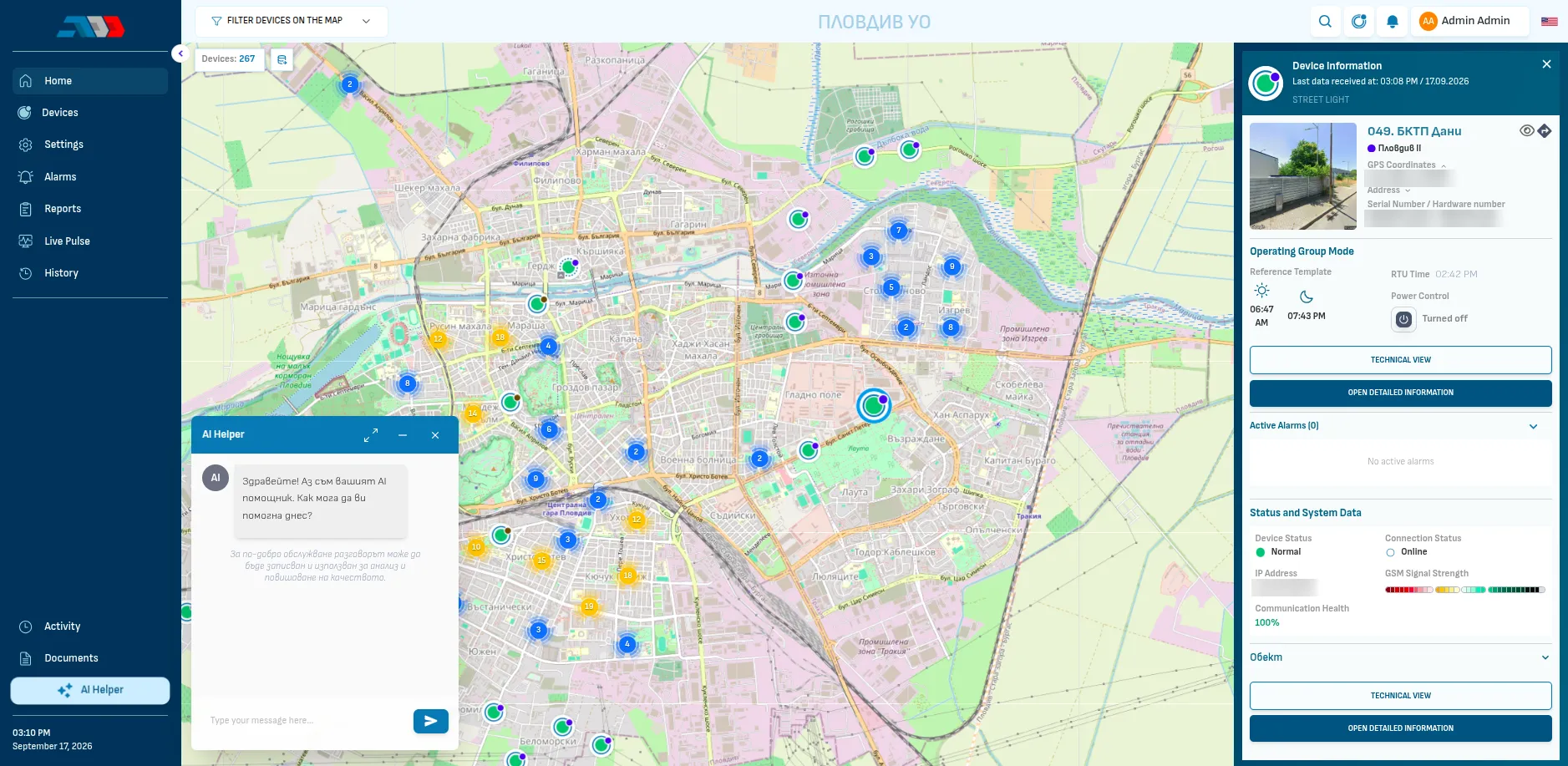
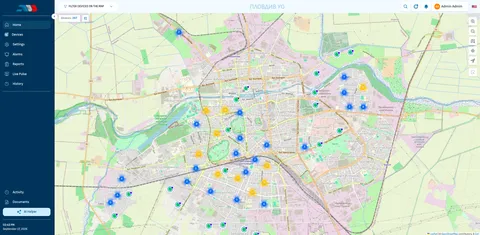
Plovdiv: 267 cabinets on one map. Markers show the state of each cabinet, clusters open as you zoom in and a filter narrows the map to the cabinets you need.
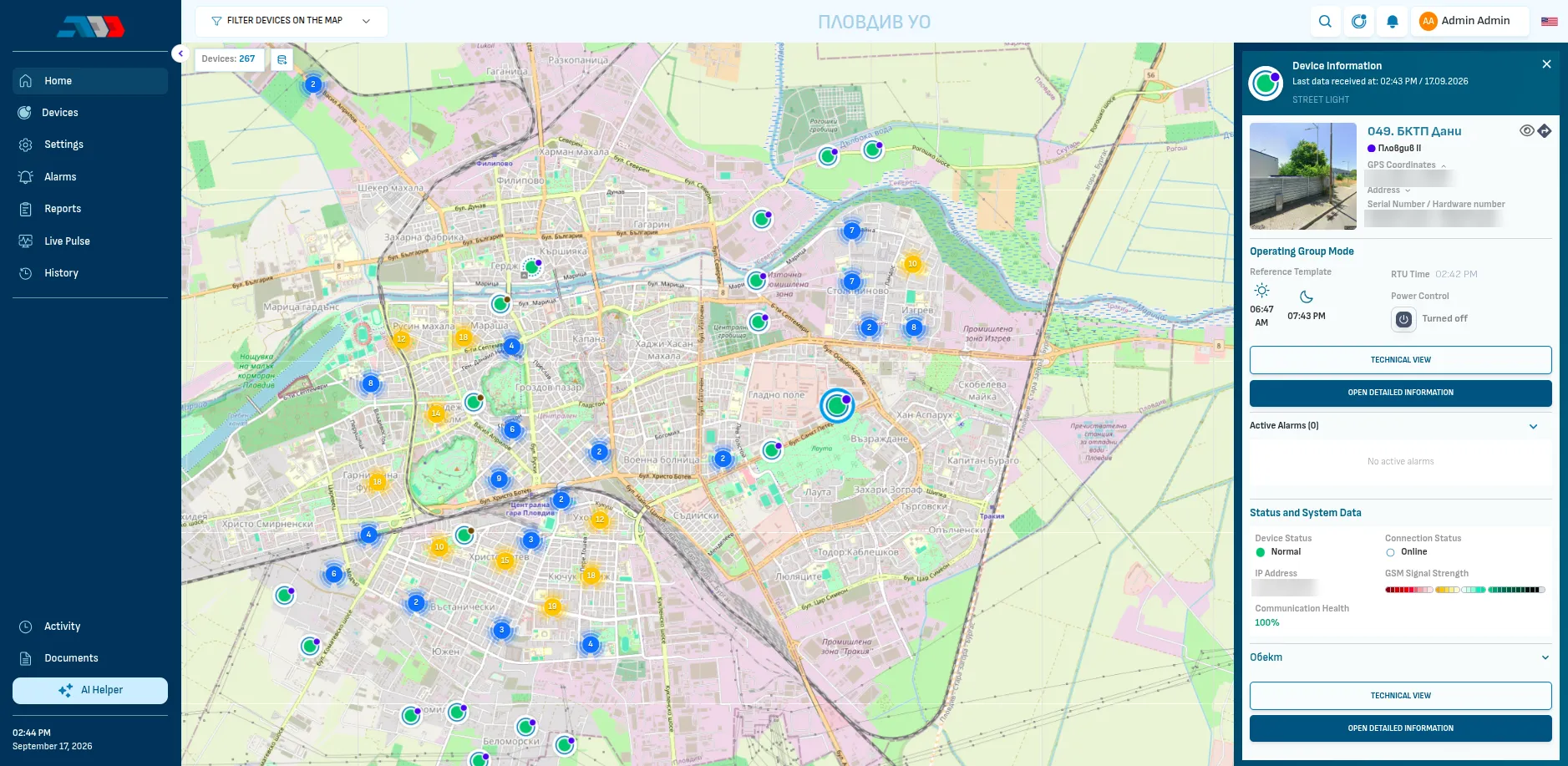
Photo, group, the schedule for the day, connection, GSM signal and active alarms. From here you switch the lighting or open the full technical view.
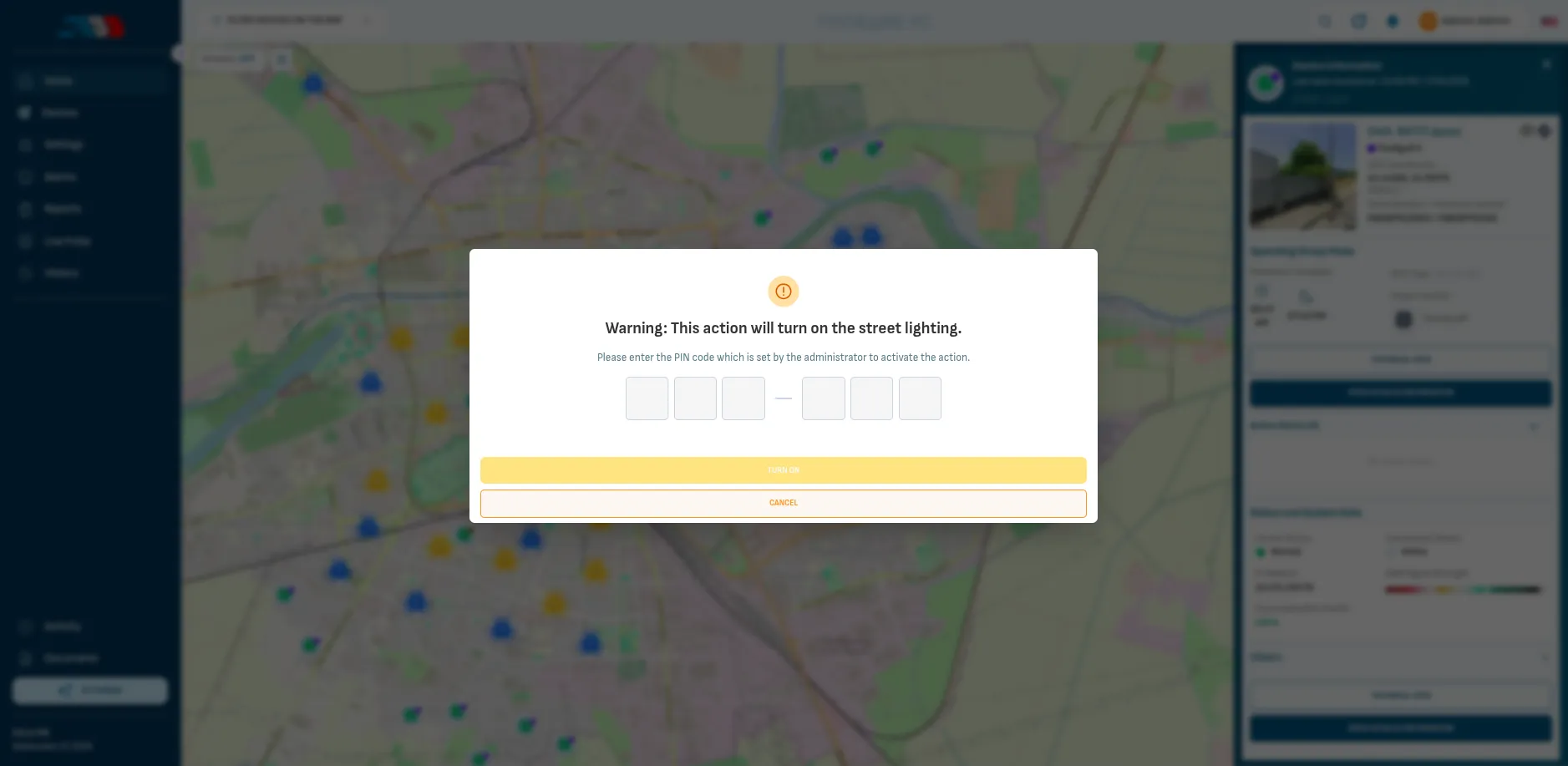
Turning the lighting on or off from the platform needs a PIN code set by the administrator, so nobody switches a street by mistake.
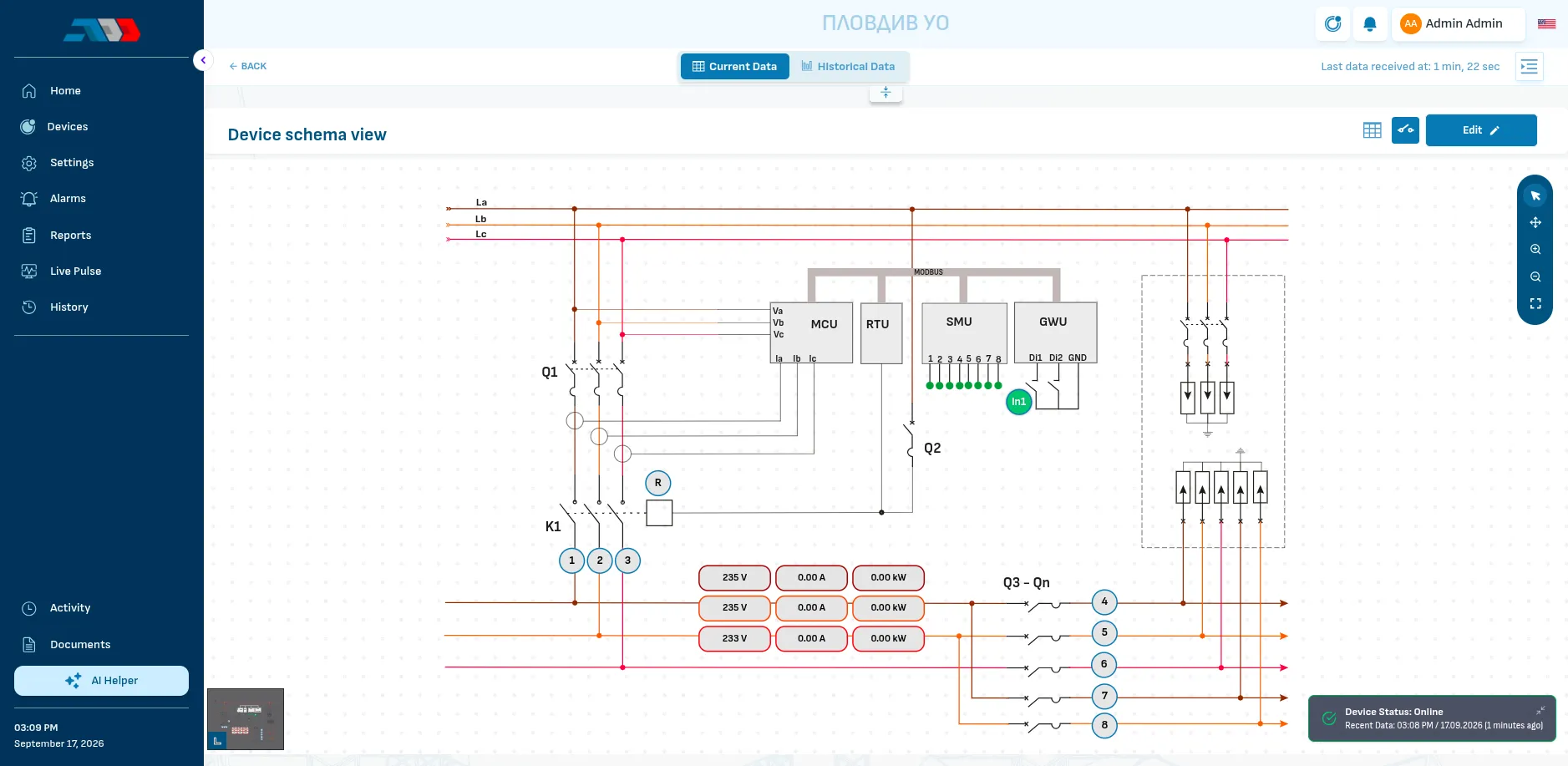
The single-line diagram of the cabinet with live values: voltage, current and power per phase, the contactor, the breakers and the state of every outgoing branch.
Energy for today, the week, the month and the year, the current power and a corridor of normal consumption learned from the last 14 days.
Charts of voltage, current, power and cos φ per phase, with the state of the branches and the relay at each moment. Export to Excel.
Every alarm per cabinet with start, end, the expected range and the measured value, for example a phase current outside its range. Each cabinet links to the map.
Day by day, which cabinets reported all day, part of the day or not at all, with signal strength and mobile operator.
Ask it how to configure something, or to summarise the alarms and logs in plain language.
Screens from the installation in Plovdiv. Serial numbers, coordinates and addresses are blurred.
The platform
Plovdiv: 267 cabinets on one map. Markers show the state of each cabinet, clusters open as you zoom in and a filter narrows the map to the cabinets you need.
Photo, group, the schedule for the day, connection, GSM signal and active alarms. From here you switch the lighting or open the full technical view.
Turning the lighting on or off from the platform needs a PIN code set by the administrator, so nobody switches a street by mistake.
The single-line diagram of the cabinet with live values: voltage, current and power per phase, the contactor, the breakers and the state of every outgoing branch.
Energy for today, the week, the month and the year, the current power and a corridor of normal consumption learned from the last 14 days.
Charts of voltage, current, power and cos φ per phase, with the state of the branches and the relay at each moment. Export to Excel.
Every alarm per cabinet with start, end, the expected range and the measured value, for example a phase current outside its range. Each cabinet links to the map.
Day by day, which cabinets reported all day, part of the day or not at all, with signal strength and mobile operator.
Ask it how to configure something, or to summarise the alarms and logs in plain language.
Screens from the installation in Plovdiv. Serial numbers, coordinates and addresses are blurred.
Live Pulse
Street lighting has a simple signature: a step up at dusk, a flat load through the night, a step down at dawn. Live Pulse learns this shape from the last 14 days and draws a corridor around it.
A line outside the corridor means something changed: lamps that failed, a branch without voltage or a load that should not be there.
Benefits
10 to 15 %
energy saved by optimising the schedule
20 to 30 %
lower maintenance costs
The current of a phase drops when lamps fail. The alarm names the cabinet and the phase.
A load that is not lighting shows in the measured current and in the load curve.
Missing voltage on a phase or a branch is visible at once, with the time it started.
Reports and history show what the new lighting consumes and how it behaves, year after year.
In the field
The watchdog module restarts the electronics if they hang after a surge or a bad supply.
When the mobile network is down the lighting keeps its schedule. The clock of the control module has a backup battery.
The platform runs in the cloud and opens in a browser on a phone, tablet or laptop.
The platform receives, checks and shows the state of thousands of devices within seconds.
The modules talk Modbus RTU and one gateway reads up to 127 devices, so a cabinet can carry more than lighting. Options for a project:
Environmental sensors
Particulate matter, CO2 or noise on the existing bus, without new cabling.
EV charging
Power is already measured, so charging points can be balanced against the load.
Door and vibration sensors
For the cabinet door and for the cable network.
Dimming modules
Lower light in the small hours for extra savings.
For whom
See where the lighting budget goes and what state the network is in.
Measure the savings of a project and manage it after commissioning.
Drive out knowing which branch failed and which parts to take.
Projects
ADD Bulgaria has worked on street lighting control for more than 15 years. GridBit is its technology brand.
Municipalities from the project map
Clients
ADD Bulgaria stands out with professionalism, technical competence and correctness in projects for the modernisation of street lighting. We especially value their commitment in the field and their quick reaction to specific requirements.
The team of ADD Bulgaria reacts quickly and flexibly to different requirements and challenges.
The GridBit SLMS system has brought real benefits to the municipalities we work with.
Thanks to the innovative solutions and the support of ADD Bulgaria, the street lighting systems that were put in place work reliably and contribute to energy efficiency, safety and the modernisation of the urban environment.
Translated from Bulgarian.
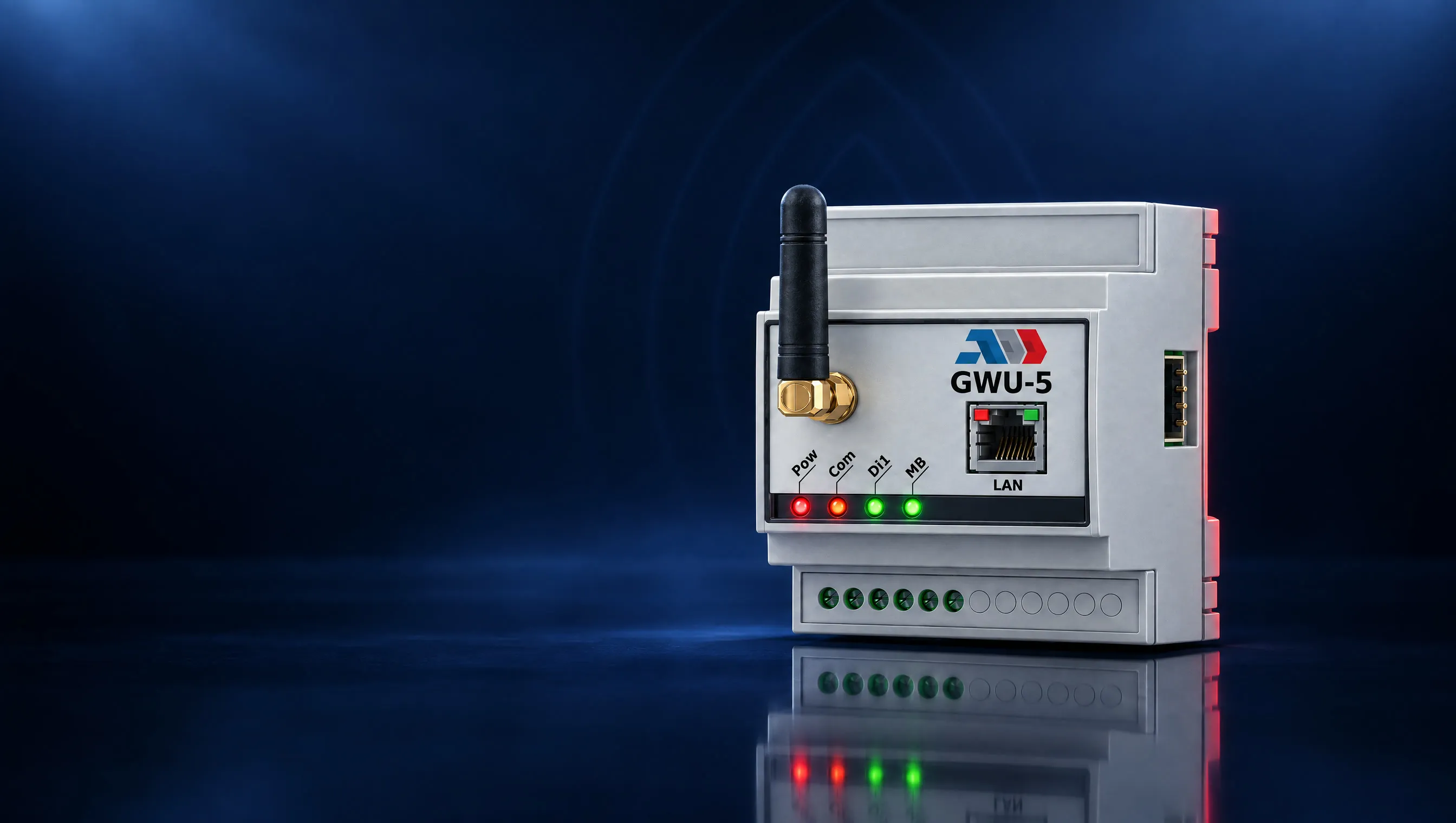 GatewayGWU-54G LTE gateway for Modbus devices, with Ethernet and MQTT4G LTE Cat 1Mobile network, 2G fallbackRS485 + EthernetModbus RTU and Modbus TCP
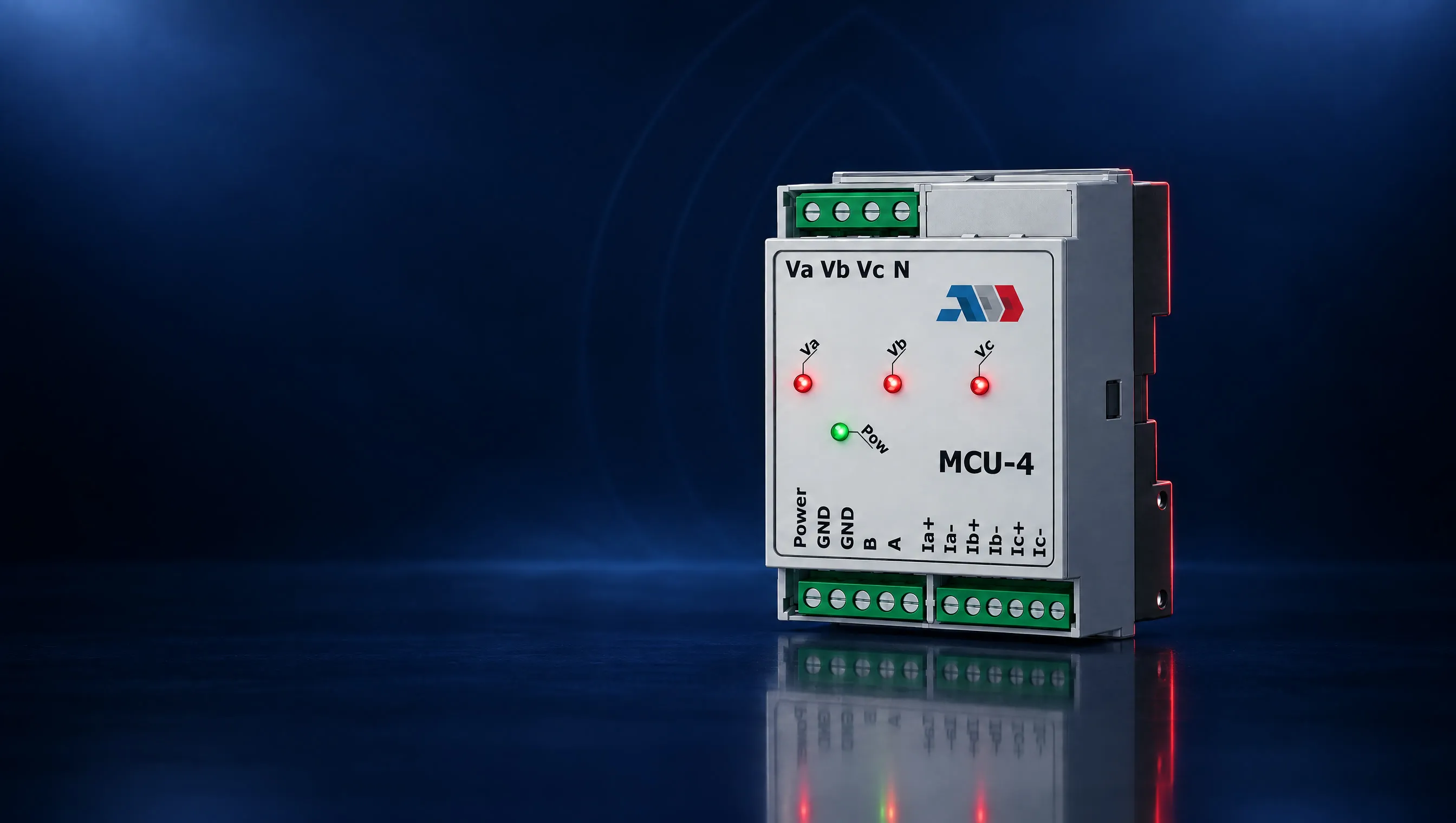 MeterMCU-4Three-phase network analyser with Modbus RTU3P+N / 1P+NPole configurationU, I, P, cos φ, EMeasured parameters
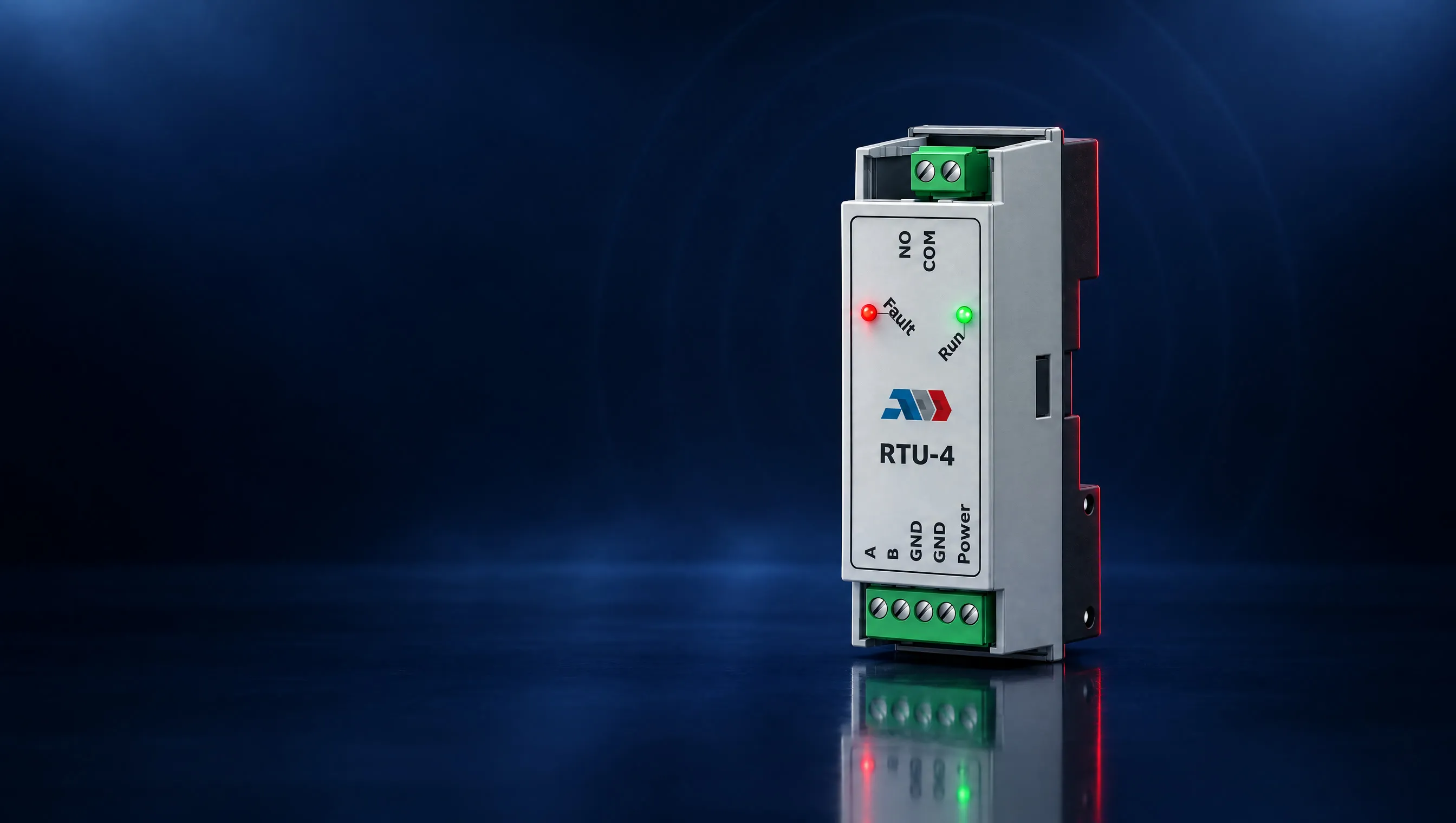 RelayRTU-4Astronomical relay with Modbus RTU and energy saving modeSunrise and sunsetRelay schedule250 VACMax. relay voltage
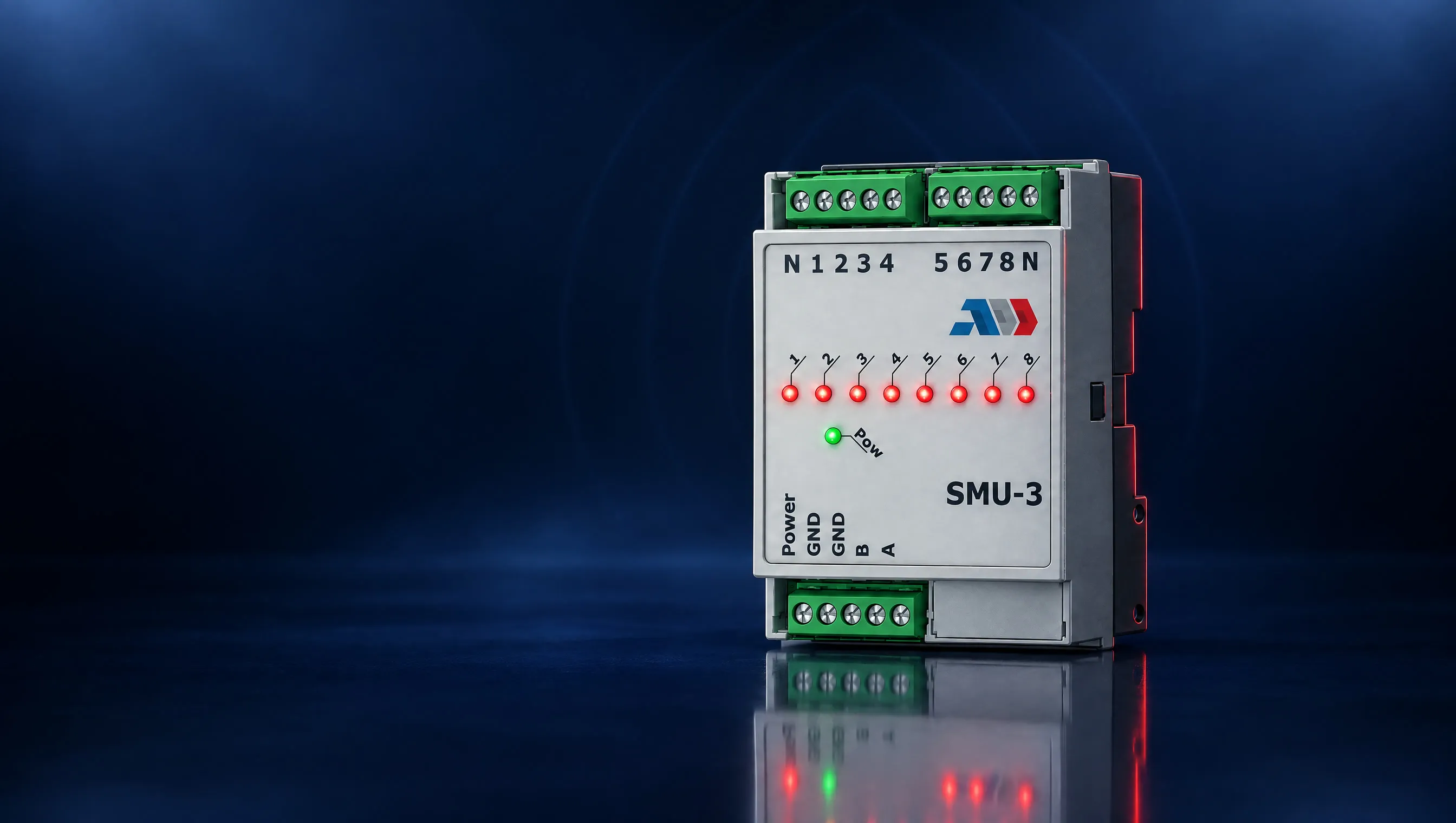 InputsSMU-3Eight-channel AC voltage detector with Modbus RTU8Voltage detection inputs280 VACMaximum input voltage
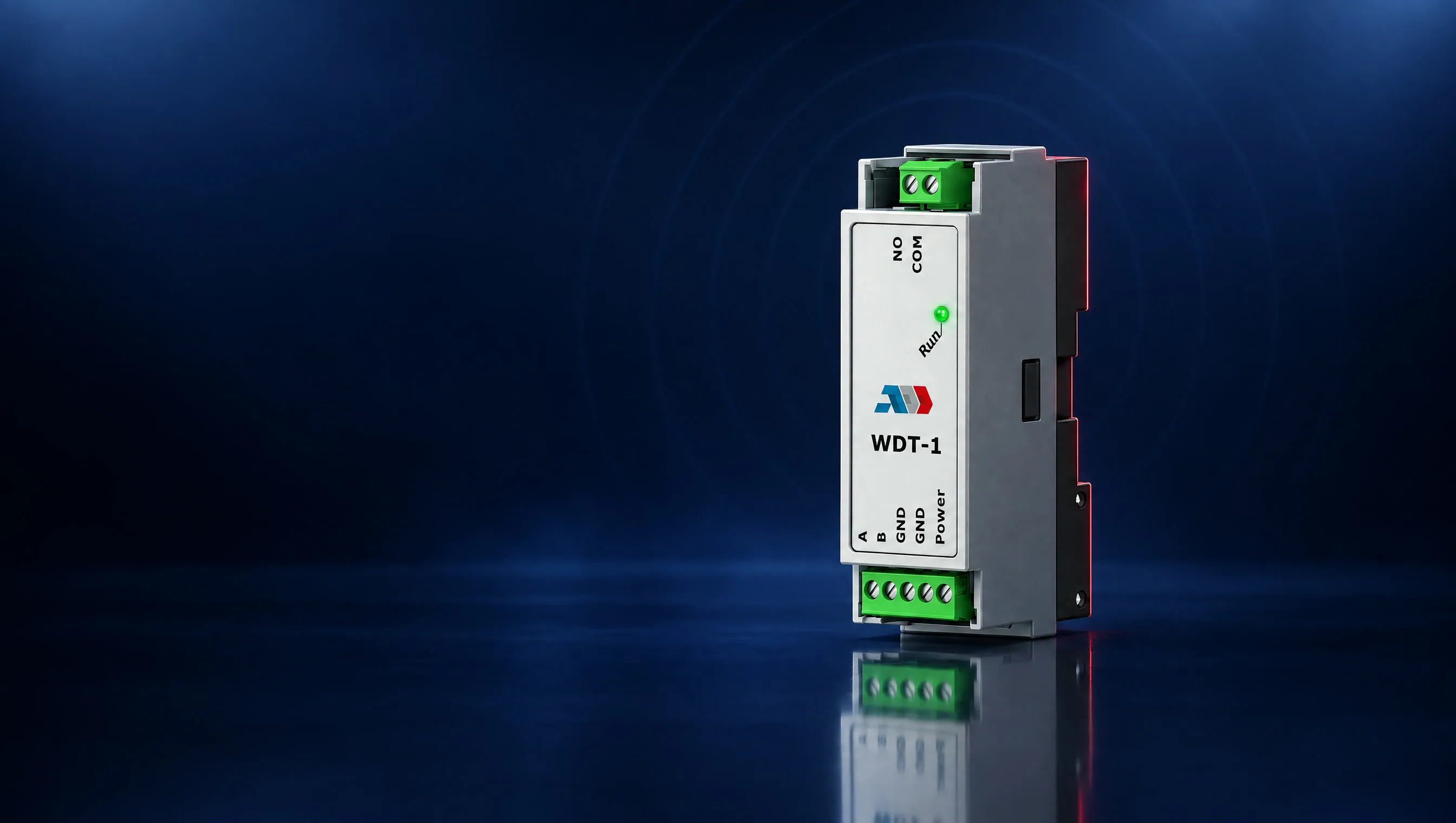 WatchdogWDT-1Watchdog relay that restarts devices when Modbus communication stopsNormally openRelay contact250 VACMax. relay voltage
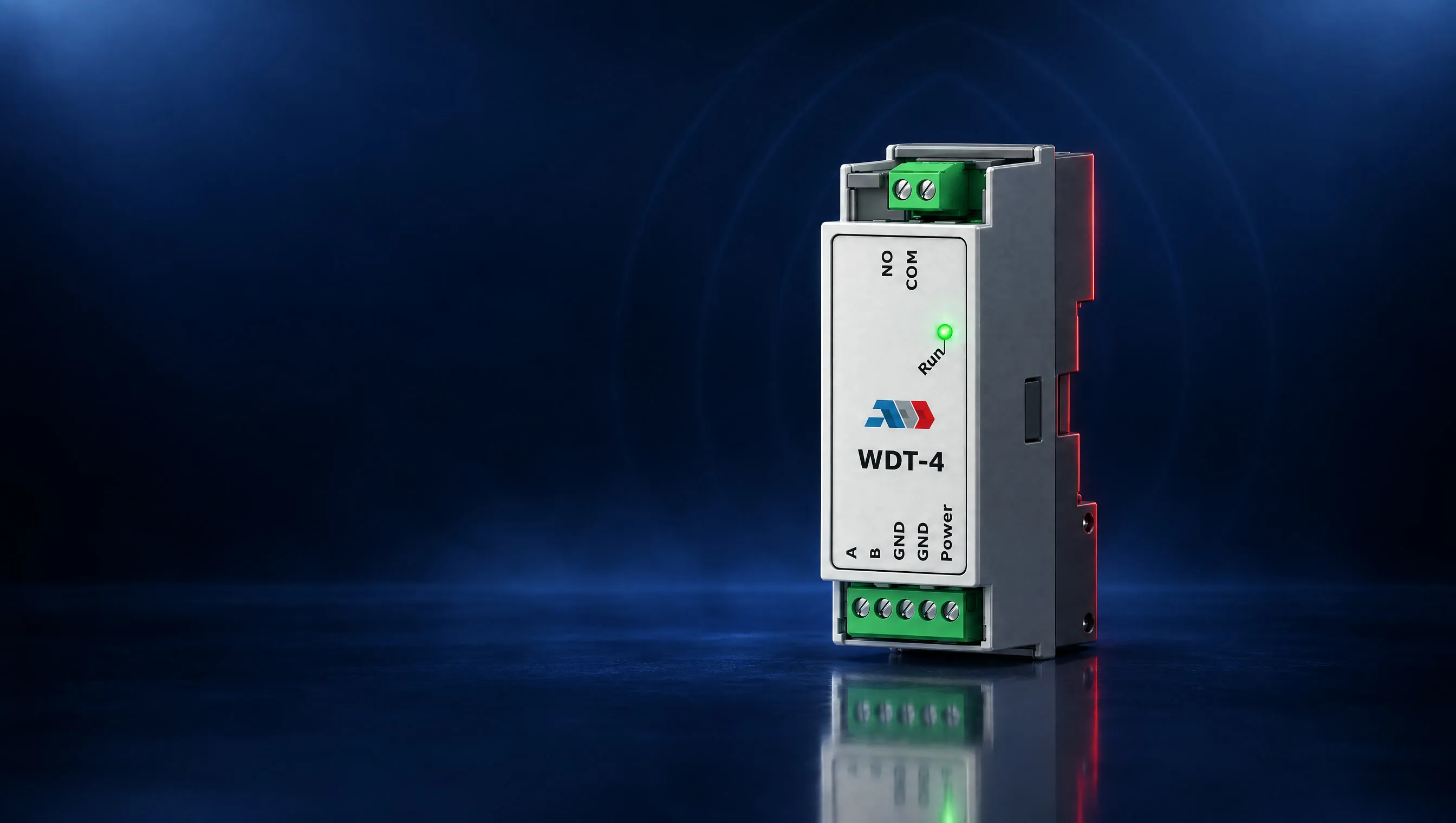 WatchdogWDT-4Modbus watchdog relay, fallback to photo sensor or clockNormally openRelay contact250 VACMax. relay voltage
GridBit SLMS is a street lighting management system that works at cabinet level. Modules on the DIN rail of the existing cabinet switch the lighting, measure every phase and watch the outgoing branches. A gateway sends the data over the mobile network, and the platform shows every cabinet on a map with alarms, history and reports.
Yes. The control module switches the lighting by sunrise and sunset and has its own clock with a backup battery. When the mobile network is down, the lighting keeps its schedule.
It reads the current of every phase. The current drops when lamps fail, and a load that is not lighting shows in the measured current and in the load curve. Live Pulse learns the normal curve from the last 14 days and raises an alarm when the load leaves that corridor.
The figures GridBit works with are 10 to 15 % energy saved by optimising the schedule and 20 to 30 % lower maintenance costs. The reports and the history show what the lighting consumes after the project, year after year.
Five modules on the DIN rail. RTU-4 switches the lighting, MCU-4 measures voltage, current, power, cos φ and energy per phase, SMU-3 watches up to eight outgoing branches, a GWU gateway connects the cabinet and a WDT watchdog relay restarts the electronics if they hang. One gateway reads up to 127 Modbus devices.
No. The platform runs in the cloud and opens in a browser on a phone, tablet or laptop.
In more than 80 municipalities in Bulgaria, with more than 5 000 street lighting cabinets digitalised. The installation in Plovdiv shows 267 cabinets on one map.
Yes. The modules share one Modbus bus, so a project can add environmental sensors for particulate matter, CO2 or noise, EV charging balanced against the load, door and vibration sensors, and dimming modules.
Tell us how many cabinets you have and what is in them. We answer with a configuration and a quote.